Tomato
A gentle focus companion that lives in your tray. It notices when you've been at the keyboard for a while and nudges you to step away.
No timers to start or stop, no forced breaks, no locked screen. Tomato reads your keyboard and mouse activity from the OS, keeps pace while you work, and resets on its own when you take a real break.
Download Tomato
v0.2.3 · GPL-3.0- Linux .debDebian, Ubuntu and derivatives
- Linux AppImageAny x86-64 distro, no install
- macOS .dmgApple Silicon, unsigned
Checksums, release notes and older versions are on GitHub Releases.
What it does
Presence, not timers
A sprint starts when you start working and ends by itself when you've been idle past the reset threshold. There's nothing to press.
Nudges you choose
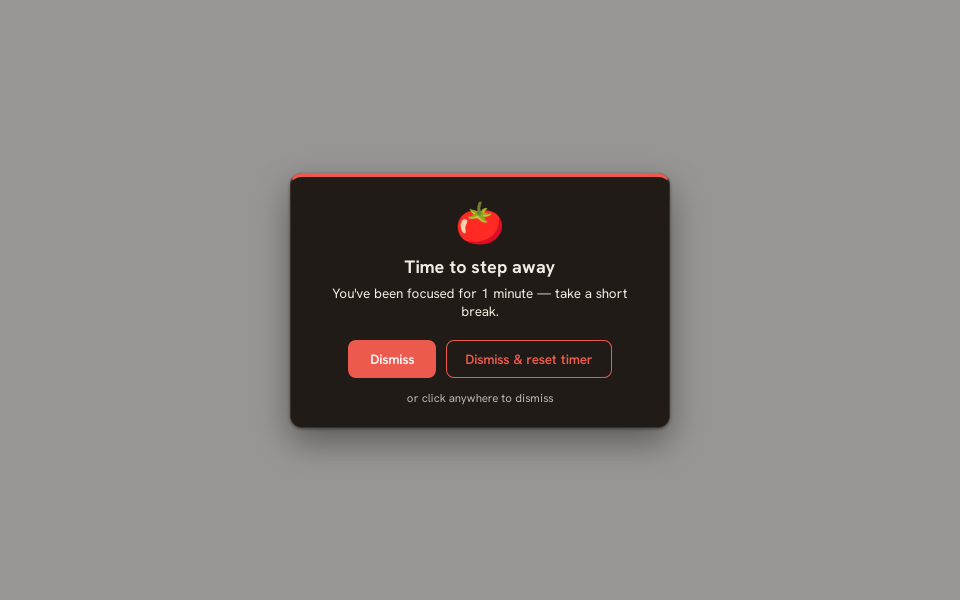
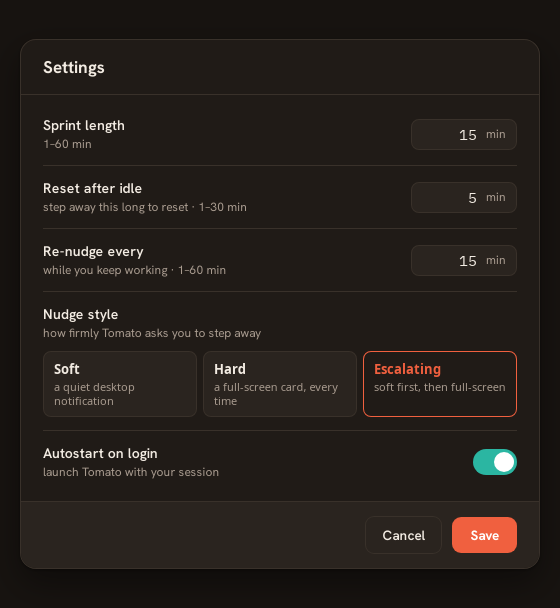
Soft is a desktop notification. Hard is a full-screen overlay you can dismiss after a 10-second rest. Escalating starts soft and turns hard if you keep going.
Dismiss & reset
Took your break? Dismiss the overlay with a reset, or use Reset timer in the tray, and the next sprint starts fresh.
Stays out of your games
While a Steam game is running, nudges stay a quiet notification instead of covering the screen.
A ring in your tray
The tray icon fills as the sprint runs and pulses red once you're past the boundary, so you can see it at a glance.
Offline and local
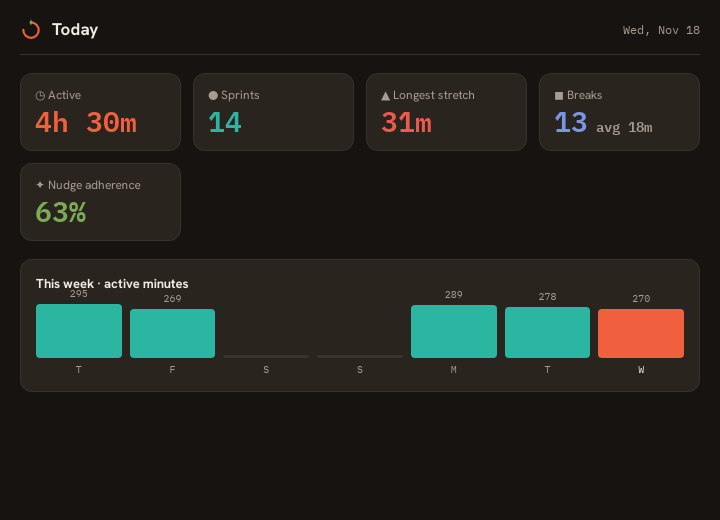
No account, no telemetry, no network calls. Settings and a log of your sprints stay on your machine, with a stats window to look back.
Install notes and license
macOS is unsigned
Drag Tomato to Applications, then run xattr -cr /Applications/Tomato.app before the first launch, or right-click the app and choose Open.
Free software
Tomato is licensed under the GNU GPL, version 3 or later. Use it, study it, change it and share it. Built with Tauri, TypeScript and Rust.
Source on GitHub →